







Game Systems
Community > Guilds
As you play Dragon Ball Online, communities form where many players socialize and share information, on a scale that friends or a party alone can't handle.
That is what the Guild system is for.
The sections below explain the Guild system in detail.
Creating a Guild
Not just anyone can create a Guild. The following conditions must be met:
 Your character must be level 30 or higher.
 You must be in a party with 4 players who do not belong to a Guild (5 players including yourself).
 You must have at least 200,000 Zenny, the cost of creating a Guild.
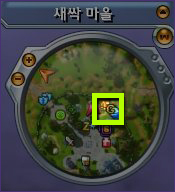
<Guild Manager NPCs are marked on the minimap with a 'G' icon>
Once you meet all the conditions, talk to the Guild Registrar NPC to create a Guild.
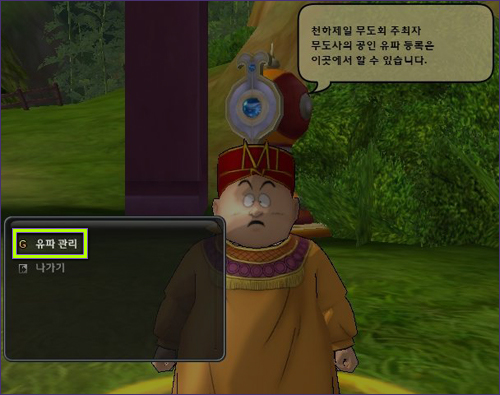
<A friendly-looking Guild Registrar NPC can be found in every town.>
Guild names can be 2 to 16 characters long in Korean (up to 20 characters in English). A name already used by a Guild on the same server cannot be used.
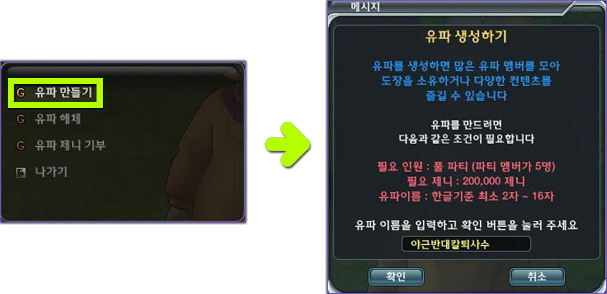
Creating the Guild costs 200,000 Zenny, and the character who created it becomes the Guild Master of the new Guild.
Managing Members
Joining
- Only the Guild Master and Sub-Masters can invite players. A player who is not in a Guild joins the Guild by accepting the invitation.
- A newly created Guild can have up to 20 members, including the Guild Master and Sub-Masters. Guild Points can raise this limit to as many as 100 members.
Leaving
- Every member except the Guild Master can leave the Guild freely.
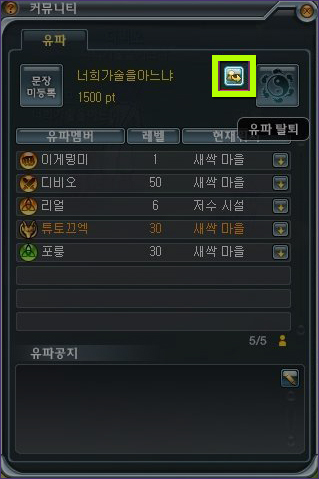
<Click the Leave icon in the Guild info window>
The Guild Master can leave only after handing the Guild Master position over to another member.
Upkeep
- Once created, a Guild always remains on the server unless its membership drops to 5 or fewer or the Guild Master disbands it.
 Expelling Members
- The Guild Master can force regular members of the Guild to leave.
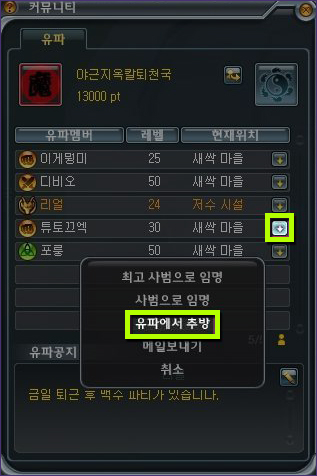
- The Guild Master can expel a member by clicking the arrow button to the right of the member's name.
Disbanding a Guild
Disbanding by the Guild Master
- The Guild Master can disband the Guild at any time through the Guild Manager. After the Guild Master starts the disband, there is a 1-week waiting period before the Guild is actually disbanded.
- While the disband is pending, the Guild Master can cancel it.
Guild Points
Every Guild has Guild Points, which are earned when members donate Zenny.
As Guild Points rise, a range of Guild features become available, such as a higher member limit, more Sub-Masters, changing the Guild name, registering and replacing a Guild emblem, and owning a Dojo.
| Guild Features Available by Guild Points | |||
|---|---|---|---|
| Points | Feature | Type | Zenny Required |
| 1,000+ | Guild Warehouse unlocked | Unlock | 1,000,000 |
| 2,000+ | Member limit raised to 30 | Unlock | 500,000 |
| 3,000+ | Up to 2 Sub-Masters | Unlock | 500,000 |
| 4,000+ | Member limit raised to 40 | Unlock | 500,000 |
| 6,000+ | Member limit raised to 50 | Unlock | 1,000,000 |
| 7,000+ | Up to 3 Sub-Masters | Unlock | 1,000,000 |
| 8,000+ | Guild emblem unlocked | Unlock | 2,000,000 |
| 9,000+ | Member limit raised to 60 | Unlock | 1,000,000 |
| 10,000+ | Member limit raised to 70 | Unlock | 1,000,000 |
| Dojo unlocked | Unlock | 5,000,000 | |
| Up to 4 Sub-Masters | Unlock | 2,000,000 | |
| 12,000+ | Member limit raised to 80 | Unlock | 2,000,000 |
| 14,000+ | Guild emblem can be changed | Per use | 10,000,000 |
Additional Features
Guild Warehouse
- Once Guild Points reach a certain amount, the Guild Warehouse becomes available.
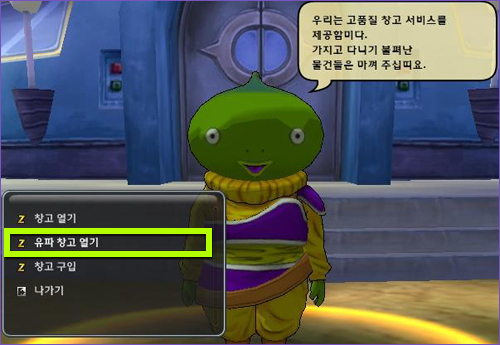
- The Guild Warehouse is accessed through the Atrain Transport (warehouse) NPC found in every town.
- When first opened, the Guild Warehouse has 32 slots in total and can store items and Zenny.
- Only the Guild Master can deposit and withdraw items and Zenny in the Guild Warehouse.
If the Guild is disbanded, everything stored in the Guild Warehouse is deleted along with it.
Guild Notice
- The Guild Master and Sub-Masters can write or delete the Guild notice in the Guild info window.
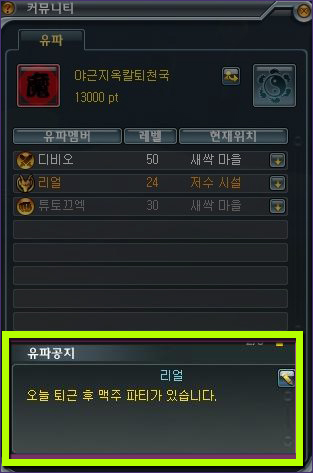
<A notice in the Guild notice field>
Guild Name Display
- The Guild name is shown below the character name, in smaller text than the character name.
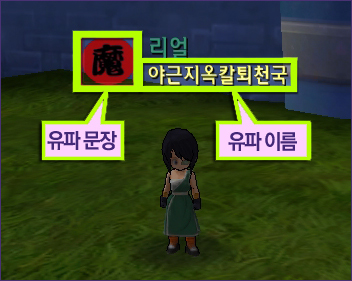
Guild Emblem
- Once the Guild has enough Guild Points to create an emblem, you can apply to use a Guild emblem through the Guild Manager NPC.
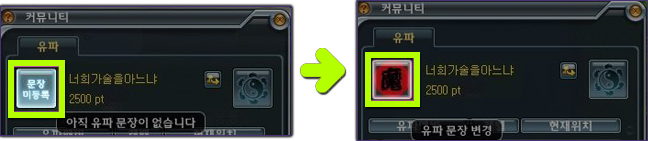
- When a character wears a dogi, the Guild emblem appears on the back of the dogi. It can also be seen in the character selection window.
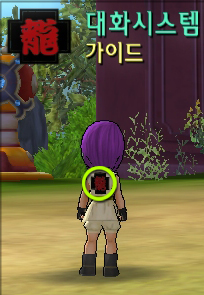
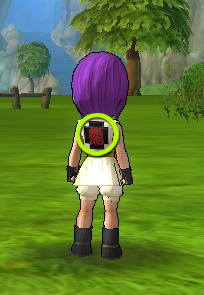
<Guild emblem on a dogi> <As seen in the character selection window>