






Game Systems
Mascots
Obtaining Mascots
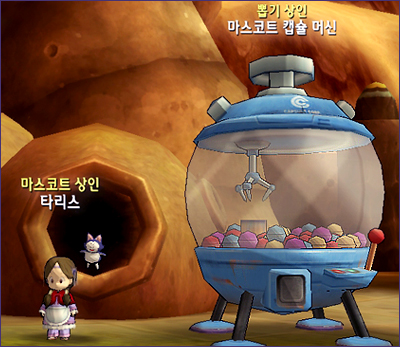
[Mascot Capsule Machine and Mascot Merchant]
Draw a capsule from the Mascot Capsule Machine (2594 Zenny per draw), then right-click the capsule to receive one random Mascot out of several types.
(The Capsule Machine currently offers 12 types of Mascot.)
※ Mascot Merchant and Capsule Machine locations
① Sprout Village, West Yahoi (NPC Kobi)
② Snail Village, North Porunga Rocks (NPC Retto)
③ Bee Village, North Frang Frang Desert (NPC Taris)
④ West City (NPC Meize)
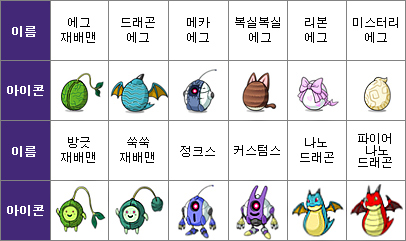
[Mascots from the Mascot Capsule Machine]
Registering / Summoning / Dismissing Mascots
Opening the Mascot window
Open it with the shortcut [ / ] or by clicking Mascot in the main menu.
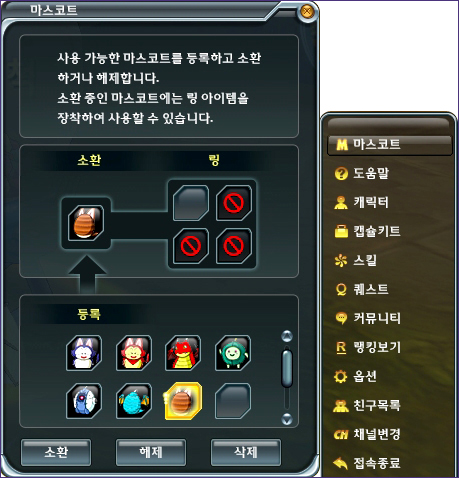
[Mascot Window]
Registering a Mascot
With the Mascot window open, right-click a Mascot in your Capsule Kit to register it.
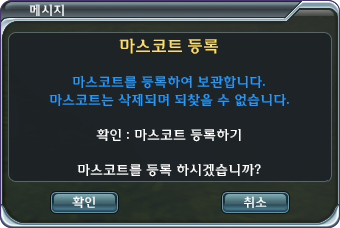
[Mascot Registration Confirmation]
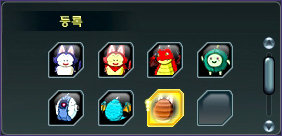
[Registered Mascot List]
Summoning a Mascot
 Select the Mascot you want in the Mascot window and click the Summon button.
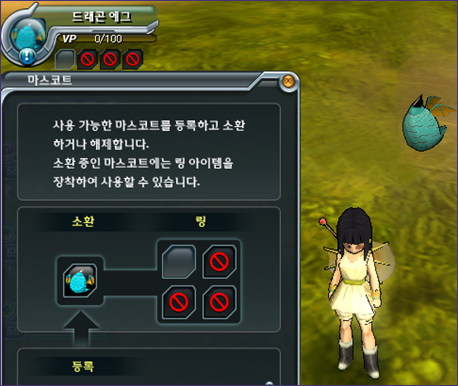
 When you summon a Mascot, its status window appears below your character's status window, and the summoned Mascot follows your character around.
Dismissing a Mascot
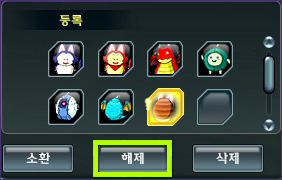
Click the Dismiss button in the Mascot window to dismiss it.
Obtaining and Using Food Items
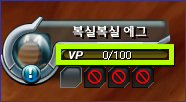
[Mascot Vitality Points (VP)]
Mascots have Vitality Points (VP) used to power Ring items. To recharge VP, you must use food items.
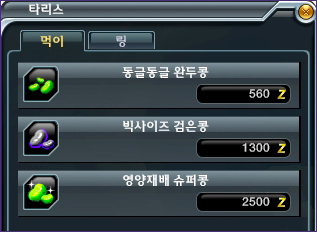
[Food Items]
Food items can be bought from the Mascot Merchant and are used by right-clicking them.
- Round Green Peas: +20 VP
- Big Black Beans: +50 VP
- Nutrient-Grown Super Beans: Restores VP to 100%
Obtaining and Using Ring Items
Ring items provide various convenience functions. They are registered in the Mascot window to be used, and can be bought from the Mascot Merchant.
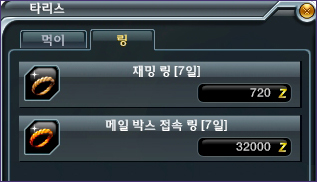
[Ring Items Sold by the NPC]
- Jamming Ring: Blocks the Fashion Checker Chip's function of viewing other players' equipment.
- Mailbox Access Ring: Lets you use your mailbox remotely. (Items cannot be attached.)
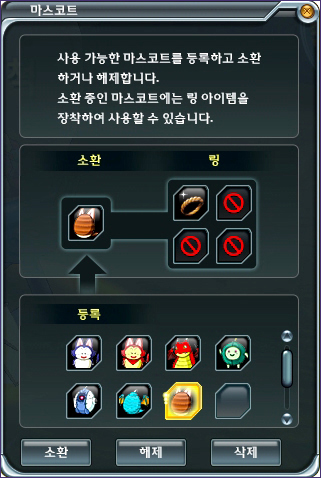
[Equipping a Ring Item]
With the Mascot window open, right-click a Ring item to equip it.
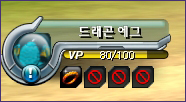
[Mascot with a Ring Item Equipped]
 Equipped Ring items are shown in the Mascot's status window. Rings with continuous effects, such as the Jamming Ring, take effect as soon as they are equipped.
(VP is gradually consumed over time.)
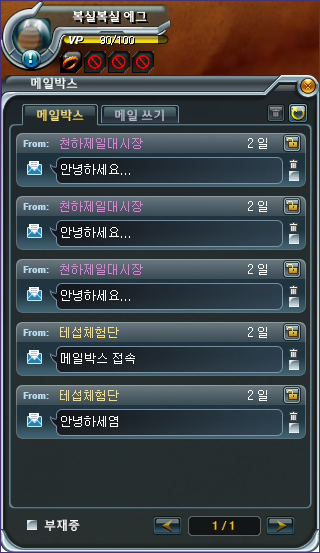
[Using the Mailbox Access Ring]
 Function-type rings, such as the Mailbox Access Ring, are used by right-clicking the ring icon in the Mascot's status window.
(VP is consumed per use.)