




Game Systems
Travel > World Map
Centered on your character's starting area, the World Map shows things such as area information, information for the whole world, bus routes and the areas where your quests take place.
Area World Map
To view the area world map, press the shortcut key (M) and right-click on the map.
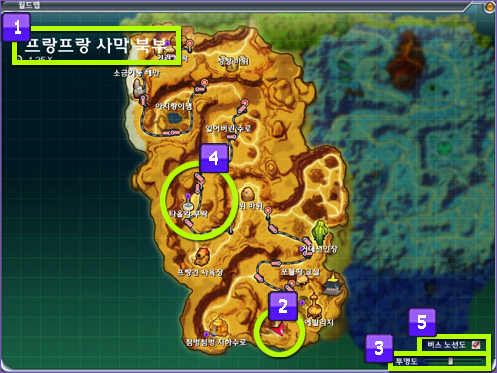
<Viewing the area world map>
Full World Map
With the area world map (shortcut M) open, right-click on the map once more to view the full world map.
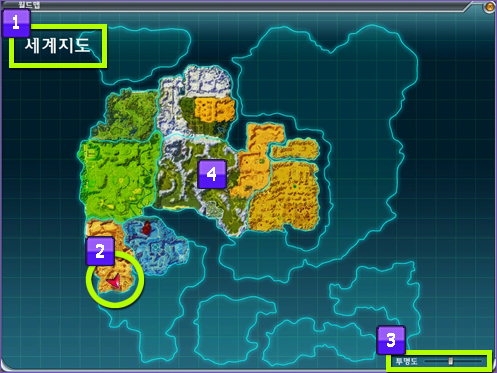
<Viewing the full world map>
 Area name
 Your current location
 World map transparency control
 Click an area to see that area's detailed map