






Game Systems
Trading > World's Greatest Market
The World's Greatest Market is a consignment system that lets you buy and sell the items you want more quickly. It can only be used in a specific location.
World's Greatest Market Location
It can be used through the Console Machine inside the World's Greatest Market headquarters, located in the southeast of West City.
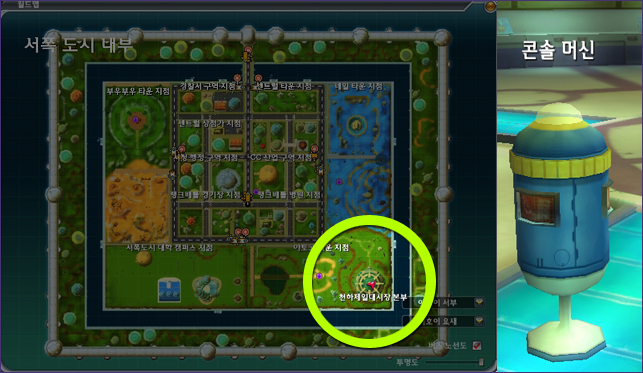
[World's Greatest Market and Console Machine]
Searching for Items
 When you first open the World's Greatest Market (by clicking the Console Machine), the window below appears.
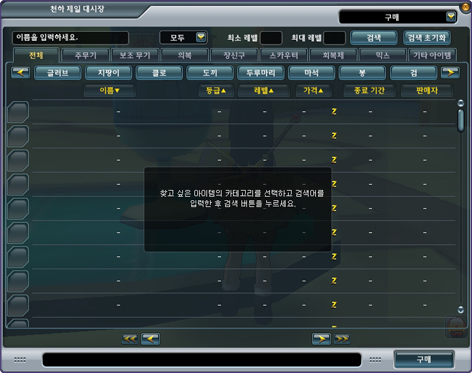
[World's Greatest Market]
You can search for items by grade (Normal to Legendary), category (tops, bottoms, gloves, rings, etc.) and keyword.
Buying Items
After searching, right-click the item you want in the list or click the Buy button to purchase it.
 Purchased items are sent to the buyer's Mail.
 If you have less Zenny than the item's sale price, a warning message appears and the purchase is cancelled.
 You cannot buy only part of a stackable item; the entire registered quantity is treated as a single item.
 If another character has already bought the item when you click its Buy button, a warning message appears and the purchase is cancelled.
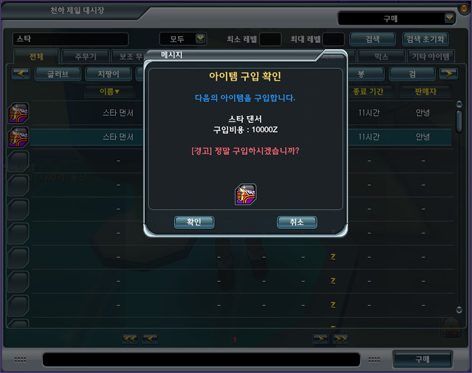
[Item purchase confirmation window]
Selling Items
Click the arrow at the top right of the World's Greatest Market to switch to selling.
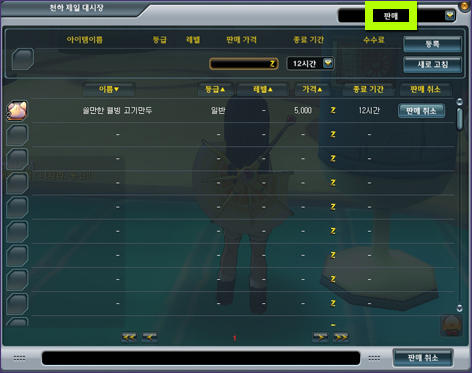
[The World's Greatest Market window switched to selling]
Place the item you want to sell in the item slot at the very top, then click the sale price field and enter the amount you want.

[Setting the sale price]
Click the Register button to start selling. A sales fee is deducted when you register an item for sale.
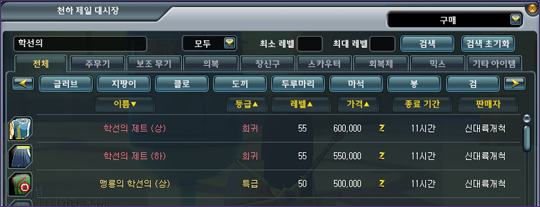
[Items on sale]
The proceeds from sold items are sent by Mail.
Clicking the Cancel Sale button cancels the sale, and the item is sent to the seller's Mail.