






Game Systems
Trading > Trading with Players
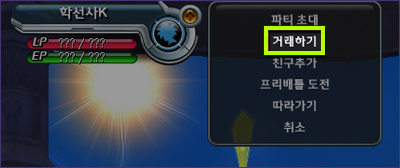
To trade, select the character you want to trade with and click the Trade button in the [Target Menu].
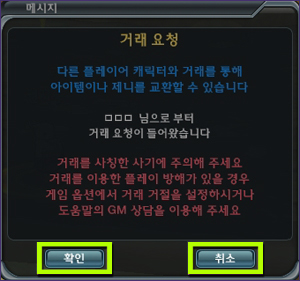
When you receive a trade request, a message appears asking whether you want to proceed with the trade.
Press [OK] to proceed with the trade, or [Cancel] if you do not want to, to give your answer.
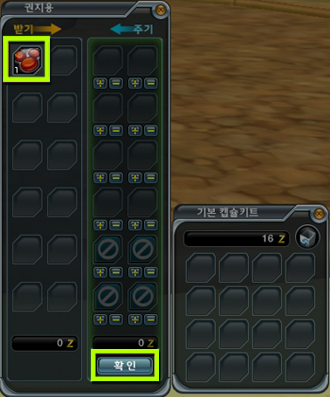
Once the trade window opens after the request, drag the items you want to trade into the trade window or enter the amount of Zenny to trade.
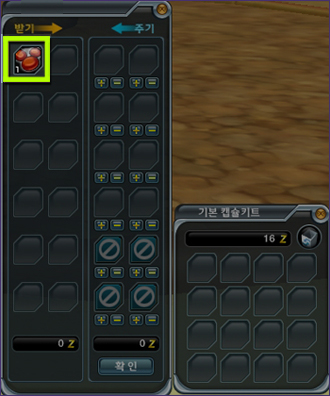
Check the items and Zenny being traded and press the [OK] button to receive the items and Zenny from the trade. Items go into your Capsule Kit.