






Game Systems
Dragon Ball Collection > Shenron's Dragon Ball Rewards
How to Claim a Reward
 Shenron Altars, where Dragon Balls can be placed, are located throughout the map.
 Click a Dragon Ball altar to open the [Dragon Ball Placement] window.
 Move the 7 Dragon Balls from your Capsule Kit into the window and click the [OK] button; the screen of the player using the Dragon Balls switches to an event scene.
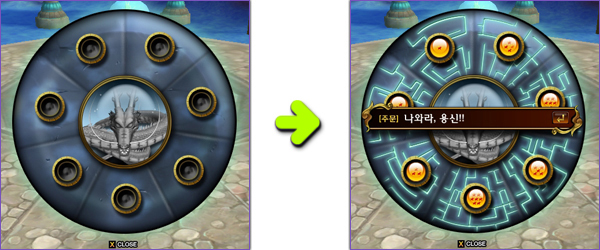
 During the event scene only chat and basic UI controls are available; character movement and camera control are disabled.
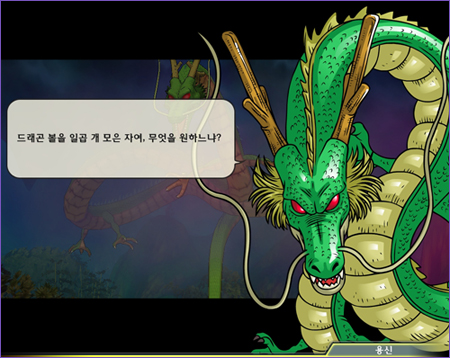
 You have 3 minutes from the moment the reward window appears to choose a reward.
 If you don't choose a reward within 3 minutes, the reward window closes and the Dragon Balls are not lost.
(A 3-minute countdown is shown in the top right of the reward window.)
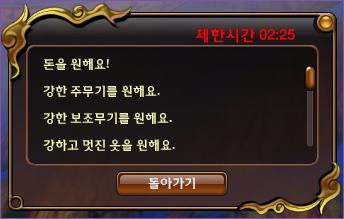
 Once the reward is granted, the Shenron Altar resets with a visual effect, the reward item goes into that player's Capsule Kit, and all 7 Dragon Balls disappear.
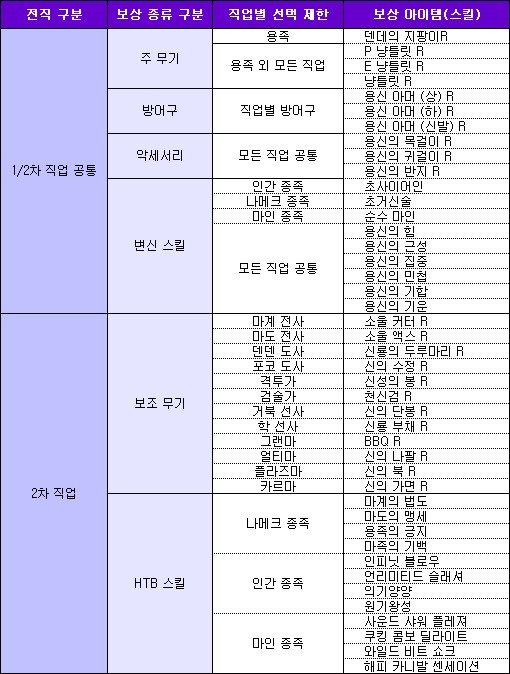
Reward Contents
To receive the reward you want, first pick a main category, then a subcategory within it, and select an item, skill or other reward.