






Beginner's Guide
Creating a Character > Creating a Character & Logging In
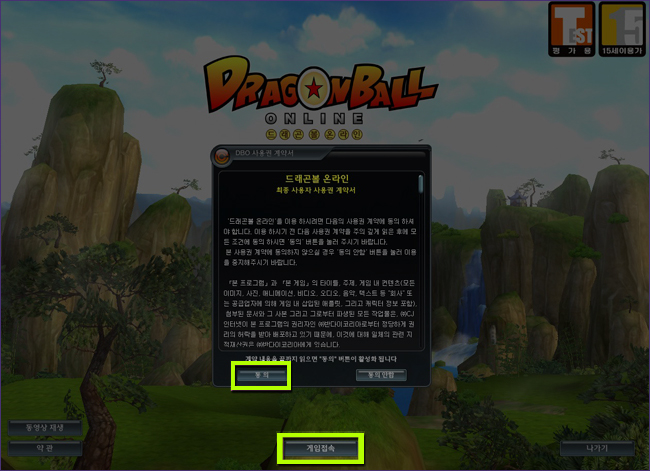
Click the [START] button in the client to connect to the game.
Each account can create up to 5 characters per server.
 To start the game, you must click the [Agree] button on the license agreement.
After agreeing, press the [Connect] button to go to the server selection window.
The [Agree] button only becomes active once you have read the license agreement to the end.
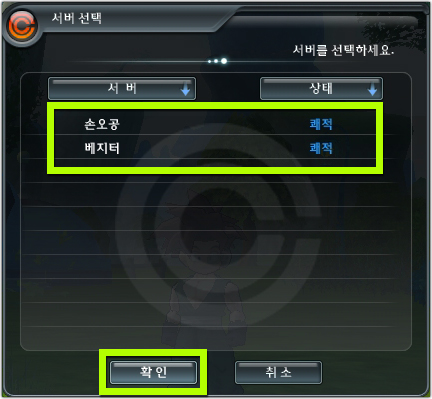
 Select a server and click the [OK] button to go to the character selection window.
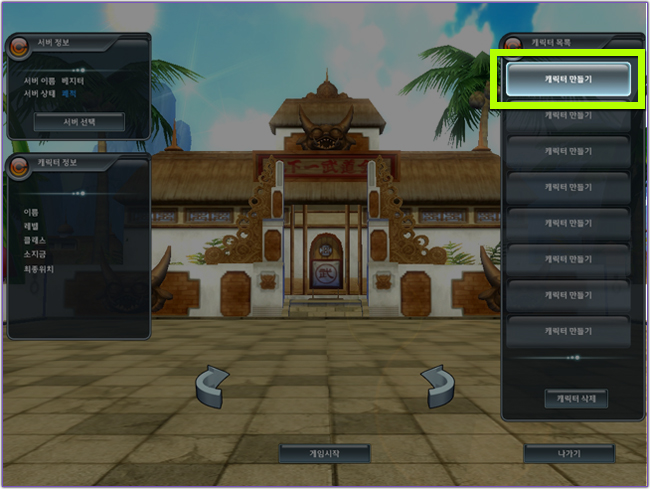
 If you have not made a character yet, click the [Create New Character] button to go to the character creation window.
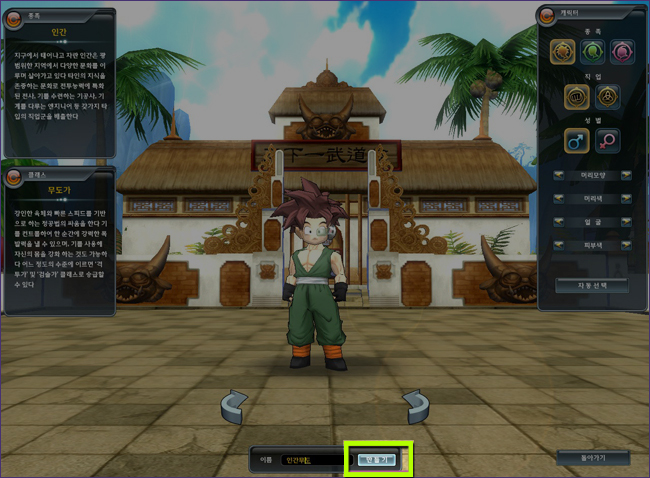
 You can choose your race, class, face, hairstyle and skin colour to suit your style.
Once you select a race and class, a description of that class appears on the left of the screen for reference.
After selecting a race and class, click the [Auto Select] button to randomise your character's appearance.
 After choosing your character's appearance, race and class, enter a character name.
Character names can be up to 8 Korean characters or up to 16 English characters long.
 Click the [Create] button to create your character.
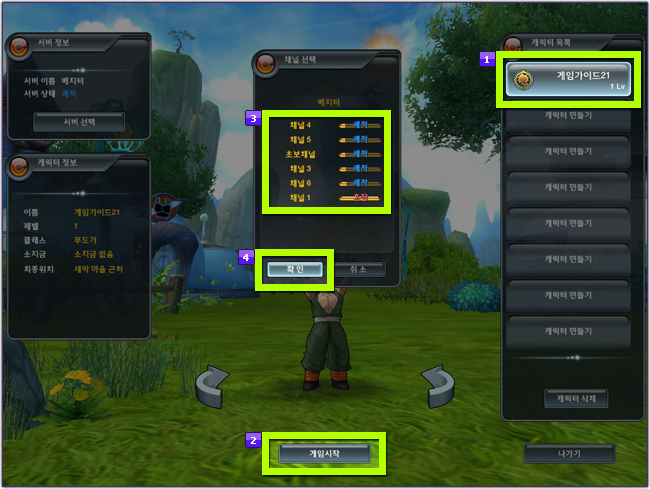
 Select a character and click the [Start Game] button to bring up the channel selection window.
Select a channel and click the [OK] button to enter the game.