






Beginner's Guide
Interface > Controls
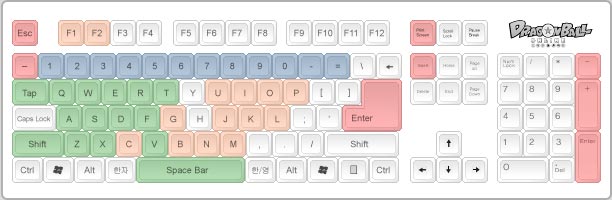
Keyboard
| Key | Action |
|---|---|
| W | Move forward |
| S | Move back |
| A | Turn left |
| D | Turn right |
| X | Sit |
| Space | Jump |
| Numpad * | Auto-run |
| Q | Strafe left |
| E | Strafe right |
Shortcut Keys
| Shortcut | Action |
|---|---|
| T | Use Scouter |
| Z | Charge Ki |
| V | Pick up item |
| Shift | Guard |
| Insert | Follow |
| C | Character info |
| K | Skill info |
| J | Quest list |
| N | Minimap |
| M | World map |
| I | Capsule Kit |
| U | Scouter |
| P | Party info |
| G | Guild info |
| L | Friends info |
| H | Help |
| / | Main menu |
| ' | Target yourself |
| [ , ] | Switch Quick slot bar |
| B | View rank |
| , | Mascot |
| . | Hoipoi Mix |
Mouse
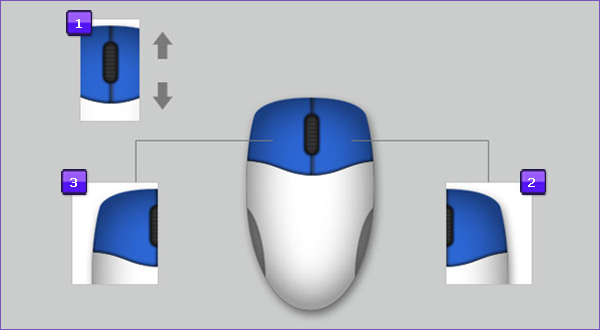
| Mouse action | Use |
|---|---|
| Left click | Move, set target, pick up items, etc. |
| Hold left button | Rotate camera |
| Right click | Move or turn your character, use skills and items, etc. |
| Hold right button | Move the camera while in camera-priority sync mode |
| Double left click | Action, execute, attack |
| Scroll up | Zoom in, scroll up |
| Scroll down | Zoom out, scroll down |