






Beginner's Guide
Starting Out > Doing Quests
 When an NPC has a quest available, a pale yellow quest marker appears above its head.
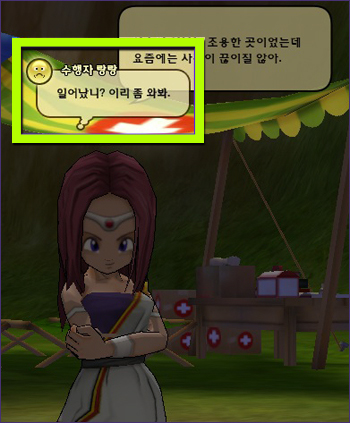
 Talk to the NPC to accept the quest.
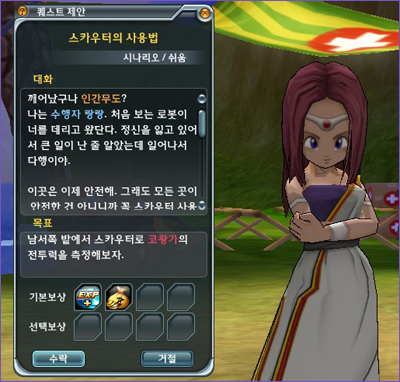
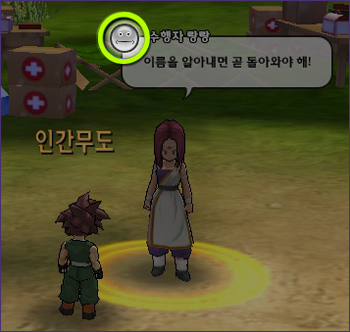
 While you have the quest and are working on it, the quest marker above the NPC's head is shown in grey.
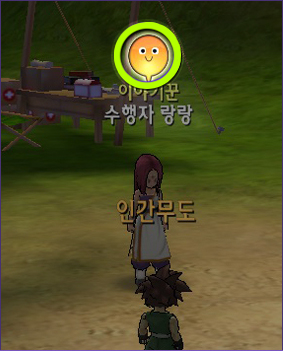
 When you have completed the quest, the quest marker above the NPC's head is shown in deep yellow.
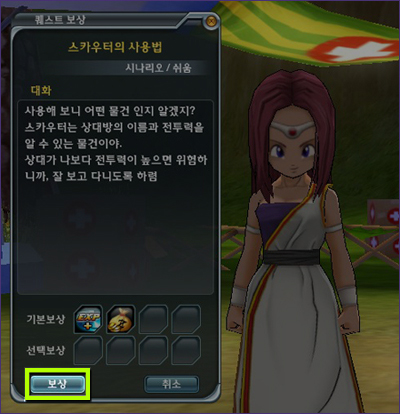
 After completing the quest, talk to the NPC to receive your reward.
Quest Markers
| Image | Marker | Meaning |
|---|---|---|
 | Pale yellow - troubled face | A quest is available |
 | Grey - blank face | A quest is currently in progress |
 | Deep yellow - big smile | All conditions for completing the quest have been met |
You can have up to 20 quests in progress at once.
Quest Tracker
Register a quest in the Quest Tracker to see what you need to do at a glance, without opening the quest window.
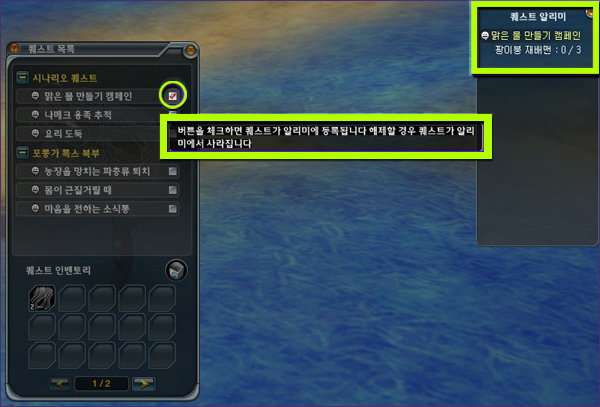
The Quest Tracker is used as follows.
Press [J] on the keyboard to open the quest list.
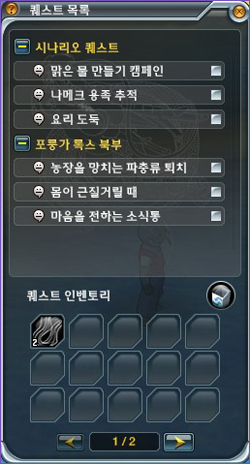
Click a quest name in the quest list to see its progress and story.
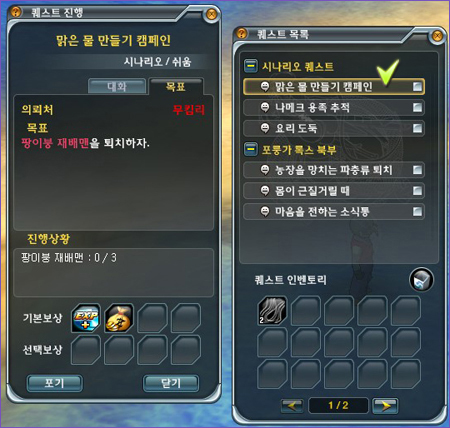
Use the checkbox to the right of a quest name in the quest list to register it in the Quest Tracker.
Checking the box adds the quest to the Quest Tracker on the right of the screen; unchecking it removes the quest from the Quest Tracker.