






Beginner's Guide
Starting Out > How to Fight
Movement
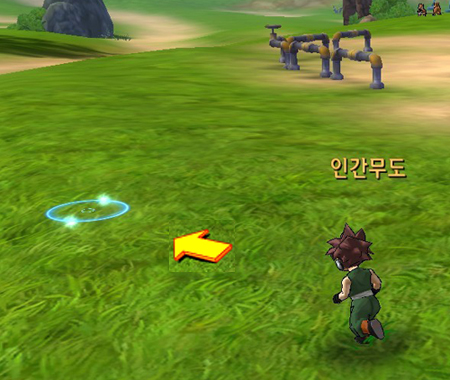
 Click the spot you want to go to and your character moves in that direction.
Hold down the right mouse button and move the mouse to adjust your view.
 Use the [W] (forward), [A] (turn left), [D] (turn right) and [S] (back) keys on the keyboard to move where you want.
Targeting
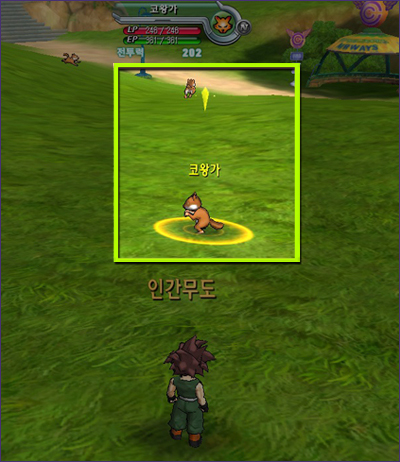
Select a monster with the left mouse button and it is marked with a yellow circle and a yellow arrow above its head.
Press the [Tab] key to select a monster within a certain range, and it is marked with a yellow circle and a yellow arrow above its head.
Attacking
Once you start attacking, you keep attacking until the fight ends or you stop manually.
Pressing [ESC] or changing targets during combat stops your attack.
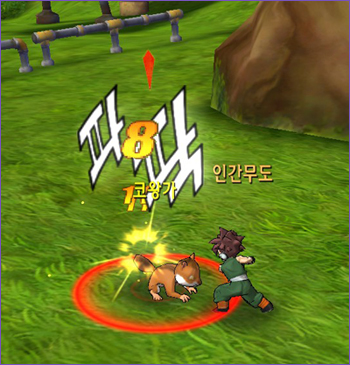
Right-click a monster to select it and attack at the same time; it is marked with a red circle and a red arrow above its head.
With a monster selected, press the Attack [F] button or a skill button, and the yellow marker turns red as you attack.